

Onboarding Flow
The onboarding process guides you through setting up your merchant account in three simple steps.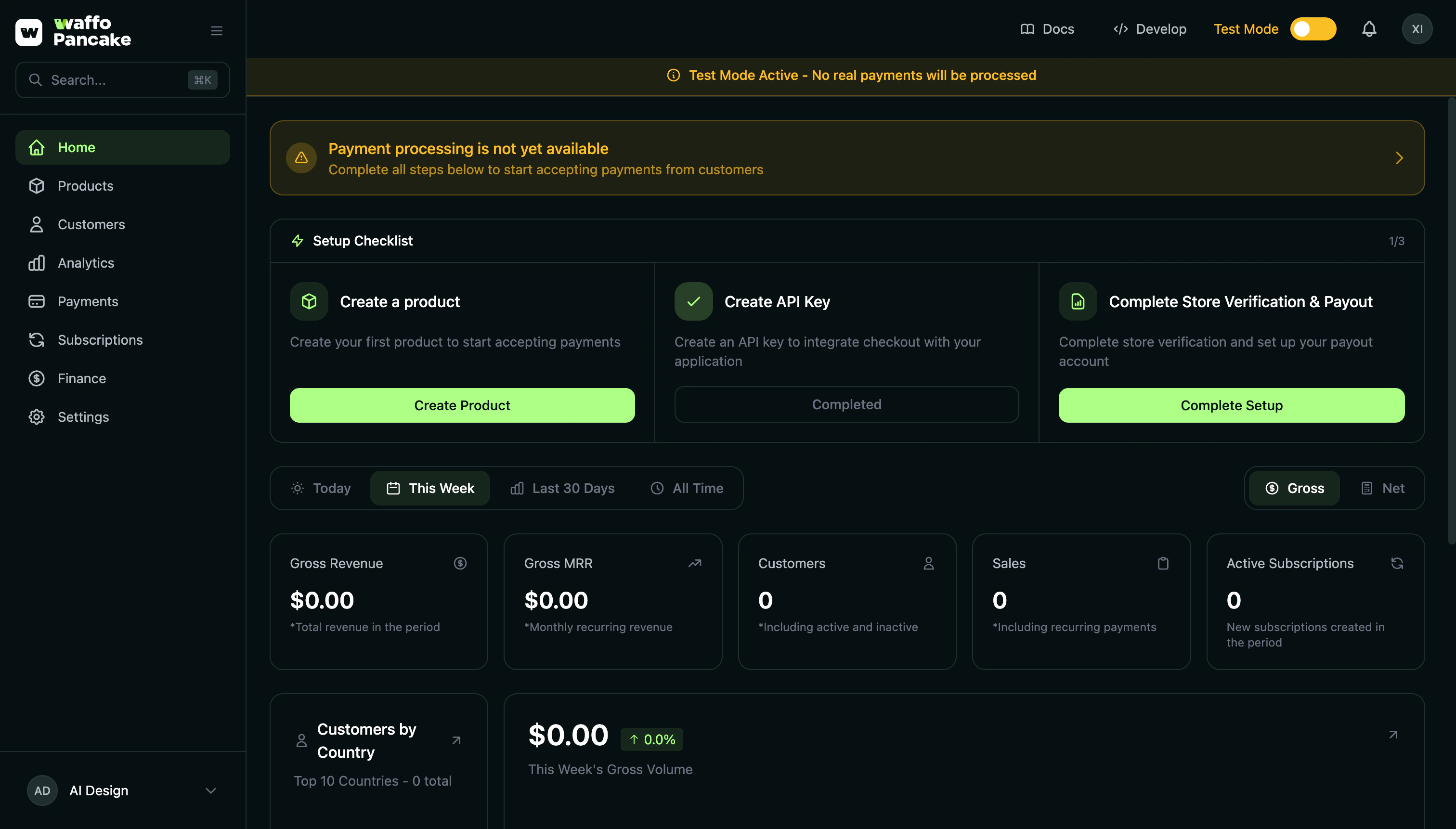
Step 1: Create Your Account
Access the sign-in page at:Authentication Methods
Google OAuth
Fastest option - Sign in with your existing Google account in one click.
GitHub OAuth
For developers - Sign in with your GitHub account.
Magic Link
Passwordless - Enter your email and receive a secure login link.
Magic Link Process
- Enter your email address on the sign-in page
- Check your inbox for the login email
- Click the magic link to authenticate
- You’ll be securely logged in
Magic links expire after 15 minutes for security. If your link expires, simply request a new one.
OAuth Callback
After OAuth authentication:- You’ll be redirected to
/merchant/auth/callback/{provider} - Session is established automatically
- New users proceed to onboarding
Step 2: Create Your Store
After authentication, you’ll be prompted to create your first store.Store Information
| Field | Required | Description |
|---|---|---|
| Store Name | Yes | Your business or brand name |
| Store URL | Auto | Generated from store name (e.g., my-store) |
| Default Currency | Yes | Primary currency for transactions |
| Country | Yes | Your business location |
Multi-Store Support
Waffo Pancake supports multiple stores per account. You can:- Separate different product lines
- Manage multiple brands
- Keep test and production stores separate
Step 3: Add Your First Product
Create your first product to start accepting payments.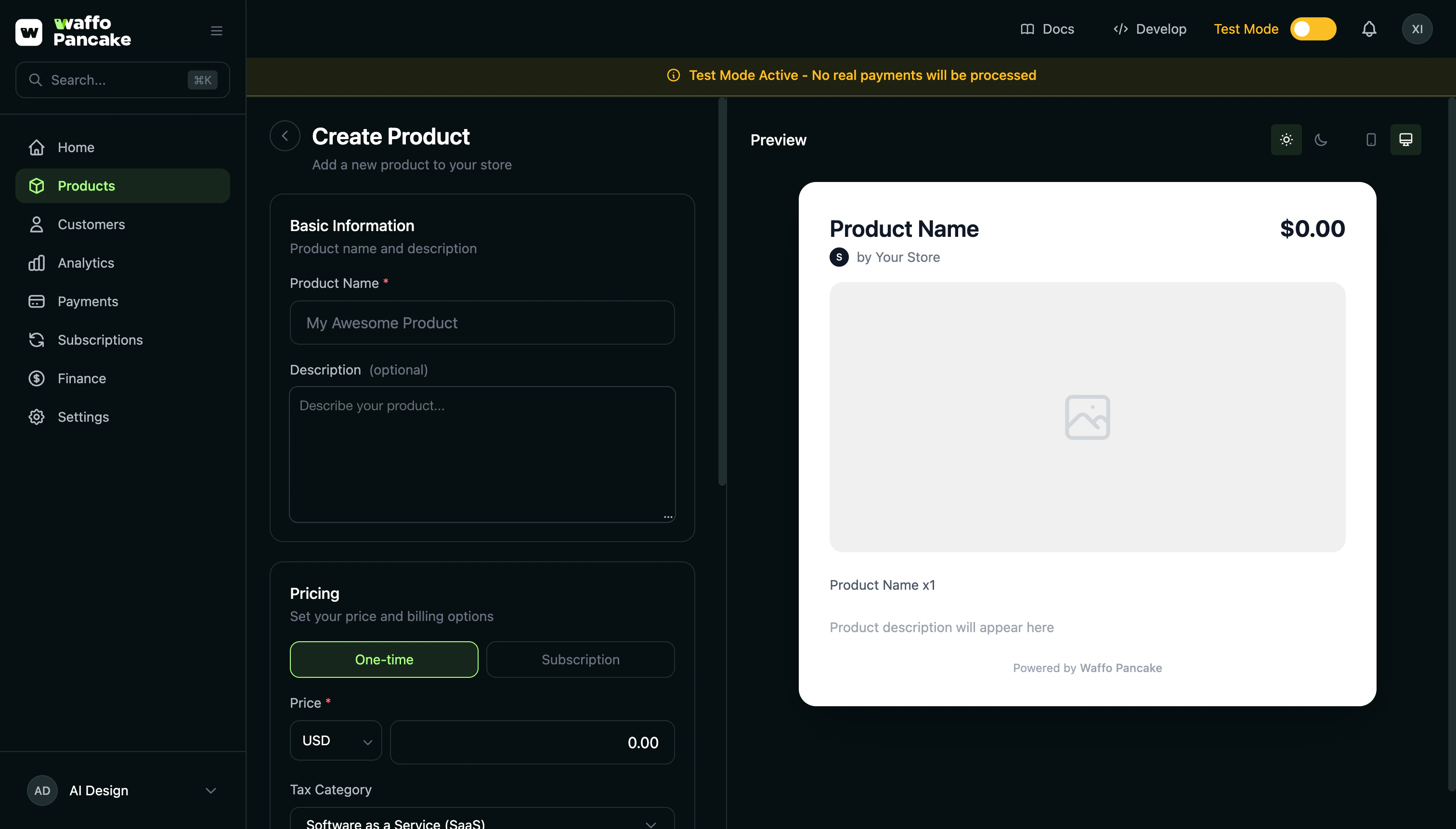
Product Fields
| Field | Required | Description |
|---|---|---|
| Product Name | Yes | Display name for your product |
| Description | No | Detailed product description (supports Markdown) |
| Image | No | Product image for checkout page |
| Price | Yes | Product price amount |
| Currency | Yes | USD, EUR, GBP, CNY, or HKD |
| Pricing Type | Yes | One-time or Subscription |
Pricing Types
One-Time Payment
One-Time Payment
Single purchase products like:
- Digital downloads
- Lifetime licenses
- Physical goods
Subscription
Subscription
Recurring billing products like:
- SaaS subscriptions
- Membership plans
- Service retainers
- Weekly
- Monthly
- Quarterly
- Yearly
- Enable free trial
- Set trial duration (default: 7 days)
Tax Configuration
| Setting | Options | Description |
|---|---|---|
| Tax Category | SaaS, Digital Goods | Determines tax calculation rules |
| Tax Behavior | Inclusive, Exclusive | Whether price includes tax |
Success Page
After creating your first product, you’ll see a success page with:- Checkout Link - Your product’s shareable checkout URL
- Copy Button - Quick copy to clipboard
- Test Checkout - Preview your checkout flow
- Next Steps - Suggested actions to complete setup
Welcome to Your Dashboard
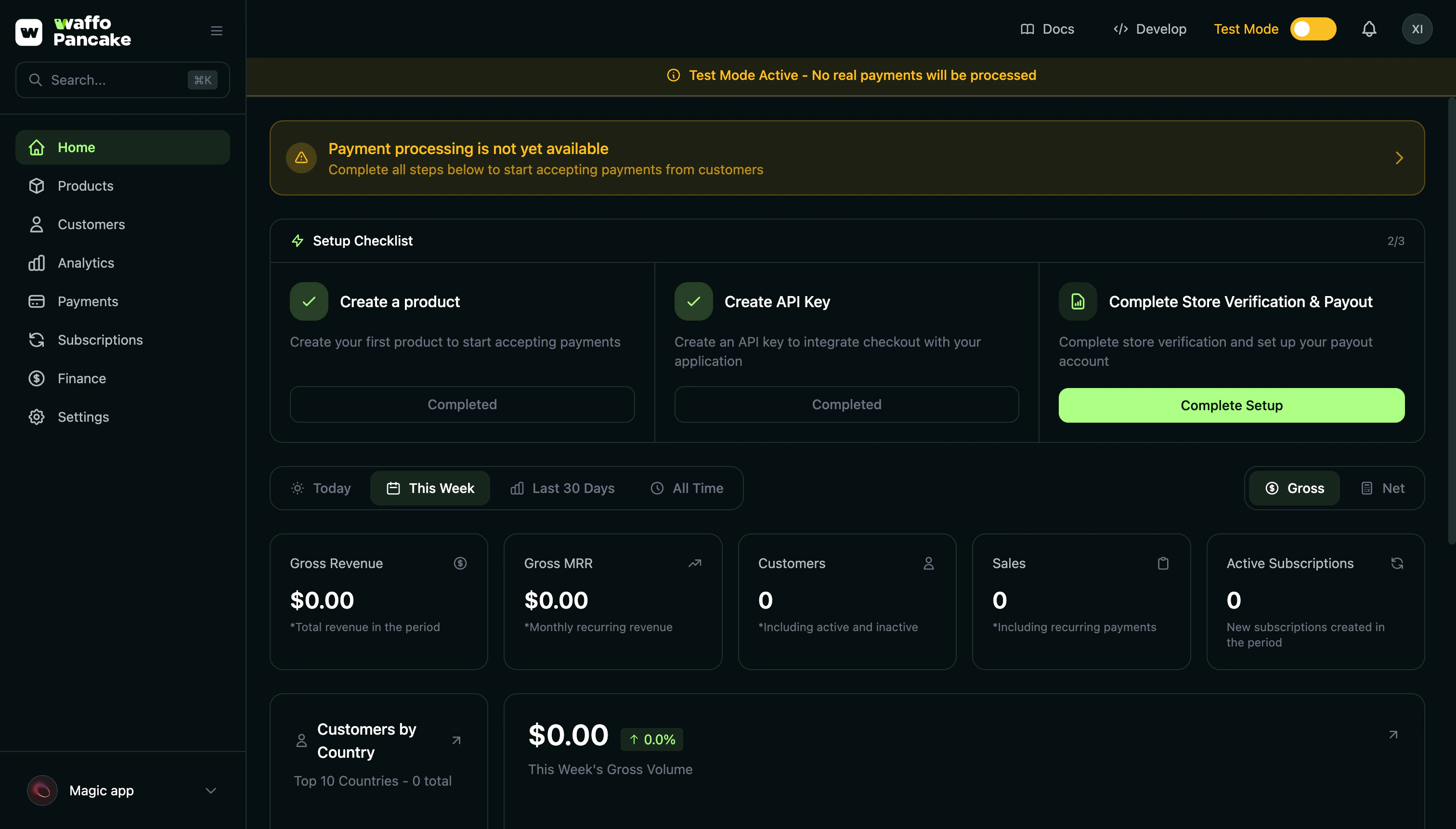
/merchant/dashboard/{storeId}/home with:
- Quick Stats - Revenue, customers, and subscription metrics
- Recent Activity - Latest transactions and customer signups
- Getting Started Checklist - Next steps to optimize your store
- Revenue Charts - Visual performance overview
Explore Features
Learn about all features and how to use them effectively.
Troubleshooting
I didn't receive the magic link email
I didn't receive the magic link email
- Check your spam/junk folder
- Verify you entered the correct email
- Try requesting a new link
- Contact support if issues persist
Google/GitHub sign-in failed
Google/GitHub sign-in failed
- Ensure pop-ups are allowed for dashboard.waffo.ai
- Try a different browser
- Clear browser cache and cookies
- Check if the OAuth provider is experiencing issues
Store creation error
Store creation error
- Store names must be unique
- Try a different store name
- Store slug is auto-generated from name
- Check for special characters
Redirected to error page
Redirected to error page
- Check the error message displayed
- Try signing in again
- Clear cookies for waffo.ai domains
- Contact support with the error details
URL Reference
| Page | URL |
|---|---|
| Sign In | /merchant/auth/signin |
| Verify Request | /merchant/auth/verify-request |
| Magic Link Callback | /merchant/auth/magic-link/callback |
| OAuth Callback | /merchant/auth/callback/{provider} |
| Onboarding | /merchant/onboarding |
| Create Product | /merchant/onboarding/{storeId}/create-product |
| Success | /merchant/onboarding/{storeId}/success |
| Dashboard | /merchant/dashboard/{storeId}/home |